Platform Moderation Rules Compared With Chat Rules Managed by Individual Creators
When you join a livestream or comment section, two sets of rules may apply at the same time.
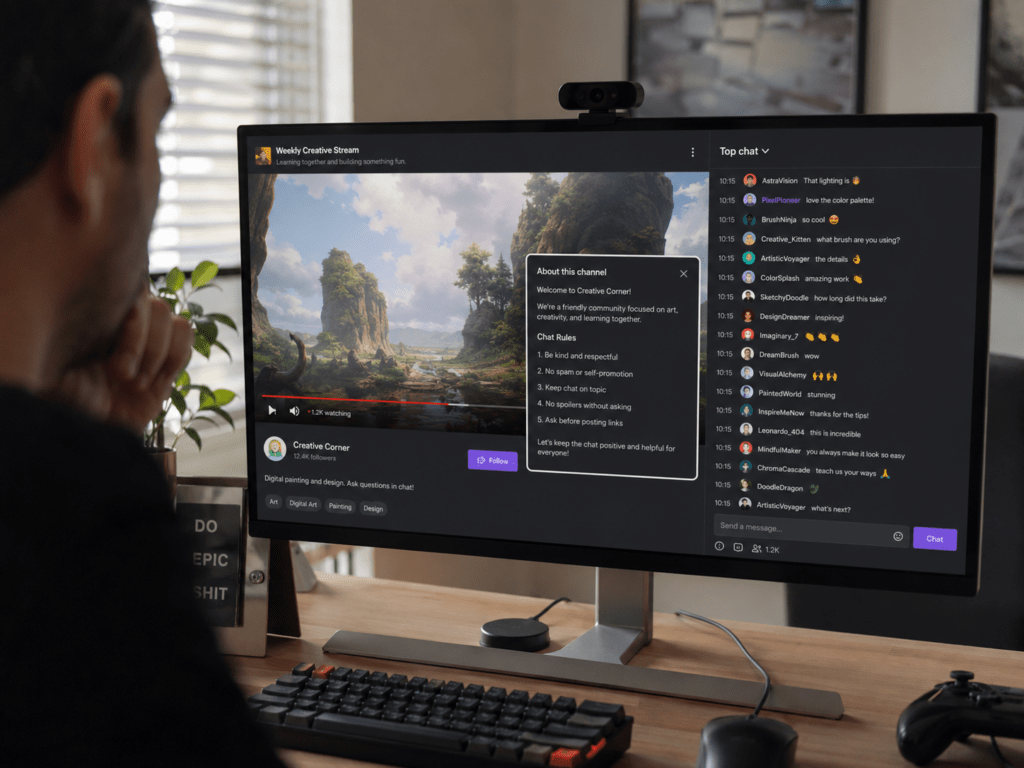
Platform rules establish the minimum standard for everyone using the service. Creator chat rules control what is acceptable inside one particular channel or community. A message may be permitted by the platform but still removed because the creator bans spoilers, political discussion, self-promotion, or backseat gaming.
YouTube’s Community Guidelines apply not only to videos but also to comments, links, posts, thumbnails, and other content. Creators can then use separate live-chat moderation tools to manage their own channels. CHZZK similarly allows channel owners to publish chat rules that viewers must review and accept before participating.
Know Which Rule Layer Applies
A creator may set rules that are stricter than the platform’s general policy, but the creator cannot make platform-prohibited conduct acceptable inside their channel.
| Situation | Rule Layer Most Likely Involved | Appropriate Response |
|---|---|---|
| Threats, hate speech, targeted harassment, scams, or exposure of personal information | Platform and creator rules | Report through the platform and notify the channel moderators |
| Repeated spam, malicious links, or disruptive flooding | Usually both | Remove or block in the channel and report when it presents a wider risk |
| Spoilers, political discussion, self-promotion, or backseat gaming | Usually creator rules | Let the creator’s moderation team handle it |
| Off-topic jokes or repeated demands for attention | Usually creator rules | Follow the warning, timeout, or channel-specific decision |
| Ordinary criticism or disagreement | Depends on wording and channel rules | Review the exact message and context rather than assuming it is prohibited |
Platform violations concern the safety and integrity of the service. Creator rules concern the experience the channel wants to provide. A gaming creator may prohibit hints and strategy instructions, while another creator may actively request them. Neither choice necessarily changes the platform’s general policy.
SOOP’s current operation policy permits restrictions for serious or repeated inappropriate chat, while an official service notice also identifies irrelevant chat that significantly disrupts a broadcast as conduct that may be restricted. This illustrates how platform policy can cover both serious safety issues and repeated disruption, although enforcement still depends on the exact context.
Check Who Took the Moderation Action
The effect of a penalty often reveals which rule was applied.
A channel-level action may appear as a deleted message, warning, short timeout, or inability to participate in one creator’s chat. The rest of the user’s platform account may continue working normally.
A platform-level action may affect comments, livestreaming, uploads, messaging, or the account across multiple channels. It is usually accompanied by a platform notification, email, policy reference, or account-status message.
On CHZZK, channel owners and managers can restrict participation in their own live chat. CHZZK also explains that a streamer-applied activity restriction can prevent the affected user from using features such as chat, comments, donations, and clip creation in that channel. Separately, reports sent to CHZZK are reviewed by platform staff under its operating rules.
On YouTube, creators can moderate live chat through tools such as moderators, blocked words, message review, and hidden-user controls. A Community Guidelines strike or platform removal is a different action, and YouTube provides its own appeal route for eligible enforcement decisions.
This distinction matters when appealing. A platform appeal normally cannot reverse a creator’s personal decision to ban someone from one channel. Likewise, a creator cannot independently remove a platform-wide strike from a viewer’s account.

Respond According to the Type of Violation
For a serious platform – level issue – such as a credible threat, targeted harassment, personal-information exposure, fraud, or a dangerous link – use the platform’s report function. Avoid extending the dispute in public chat, because additional replies can make the situation harder to review.
Preserve the relevant username, message, timestamp, channel, and screenshots when the incident could involve safety, payment, or identity misuse. Report the original message rather than only reporting a later argument about it.
On CHZZK, viewers can report a specific chat message for review under the service’s operating rules. They can also block a user, which hides that person’s messages, posts, and comments from the blocking user’s view. A block is a personal viewing control; it is not the same as a platform finding that the reported user violated policy.
For a creator-specific issue, first read the visible chat rules, pinned notice, channel description, or moderator command. If the creator prohibits spoilers or self-promotion, arguing that the platform generally allows those subjects will not overturn the channel’s rule.
A useful response order is:
- Stop the behavior after the first clear warning.
- Ask a moderator privately or through the stated appeal route when the rule is unclear.
- Do not create another account to bypass a channel restriction.
- Use a platform report only when the conduct also appears to violate platform policy.
When a moderator’s decision seems unfair but concerns only local etiquette, leaving the channel may be more practical than starting a public argument. Creator communities are allowed to have different discussion styles, provided their rules do not conflict with the platform’s mandatory policies.
Moderators Should Separate Safety Issues From Channel Preferences
Moderators should not handle every unwanted message as though it were equally serious.
A clear system can use three levels:
| Level | Examples | Moderator Response |
|---|---|---|
| Immediate safety action | Threats, doxxing, scams, hateful attacks, malicious links | Remove, preserve evidence, report to the platform, and restrict the user |
| Channel-rule enforcement | Spoilers, politics, self-promotion, repeated backseat gaming | Warn, delete, timeout, or apply the creator’s documented rule |
| Normal disagreement | Respectful criticism, different opinions, ordinary questions | Allow unless the discussion becomes disruptive or violates a visible rule |
Creator rules should be visible before or during participation. They should explain prohibited behavior clearly enough that viewers and moderators can apply them consistently.
CHZZK lets creators register channel chat rules that viewers must acknowledge before chatting. YouTube likewise offers channel-level guidance and live-chat moderation controls, allowing creators to shape their community while the platform retains responsibility for its broader policies.
Moderators should also record the reason for longer restrictions, particularly when several people share moderation duties. A short note such as “repeated spoilers after warning” is more useful than an unexplained ban and reduces inconsistent treatment later.
Match the Report or Appeal to the Rule That Was Broken
- Use the creator’s moderators for spoilers, self-promotion, forbidden topics, repeated disruption, and other channel-specific rules.
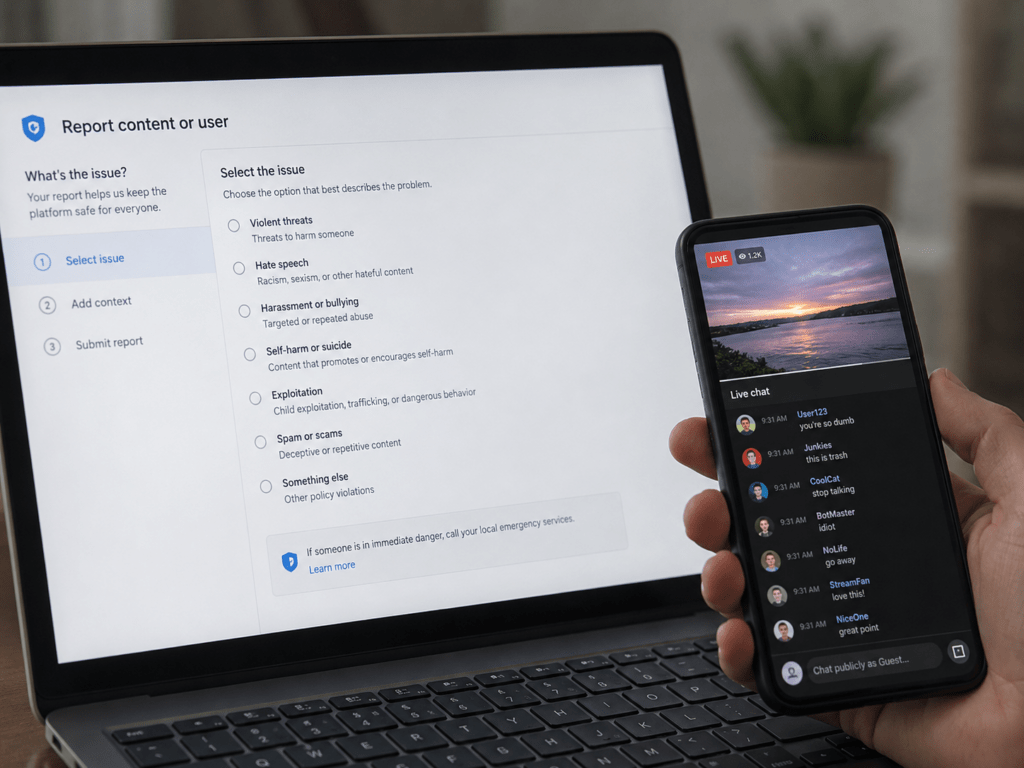
- Use the platform’s reporting system for harassment, threats, scams, personal-information exposure, prohibited content, and conduct that may endanger users across the service.
- Use both routes when the same behavior violates the creator’s rules and the platform’s baseline policy.
When challenging a decision, first identify who imposed it. Appeal a platform action through the platform’s official process. Use the creator’s stated contact or moderation process for a channel restriction, if one exists.
The key distinction is simple:
Platform policy decides what is allowed on the service. Creator rules decide what is welcome in that particular channel.